

Bootstrap & Tailwind Grid Editor
Build content block by block.
Visual grid plugin for TinyMCE and CKEditor.
Multi-tenant ready.
TinyMCE · CKEditor 5 · CKEditor 4

Insert Grid
Start with an empty grid or a block from the built-in or your own library.
Choose a column layout or pick a saved block - the responsive Bootstrap or Tailwind grid is inserted into your editor in one click.

Edit Contents
Edit with TinyMCE or CKEditor - the familiar editing flow stays the same.
Type or modify content in the columns. All native editor features - tables, images, lists - work inside every grid cell.

Save Blocks to Library
The star button saves or updates the block, creating a screenshot automatically.
Organize blocks into groups and reuse them across pages. Both grid structure and block content will be saved.

Share across Websites
Let all your websites reuse blocks from the same library using a permission system.
Each website will have a tunable list of rules on how to expose block groups to other websites. Controlled inside visual Dashboard.
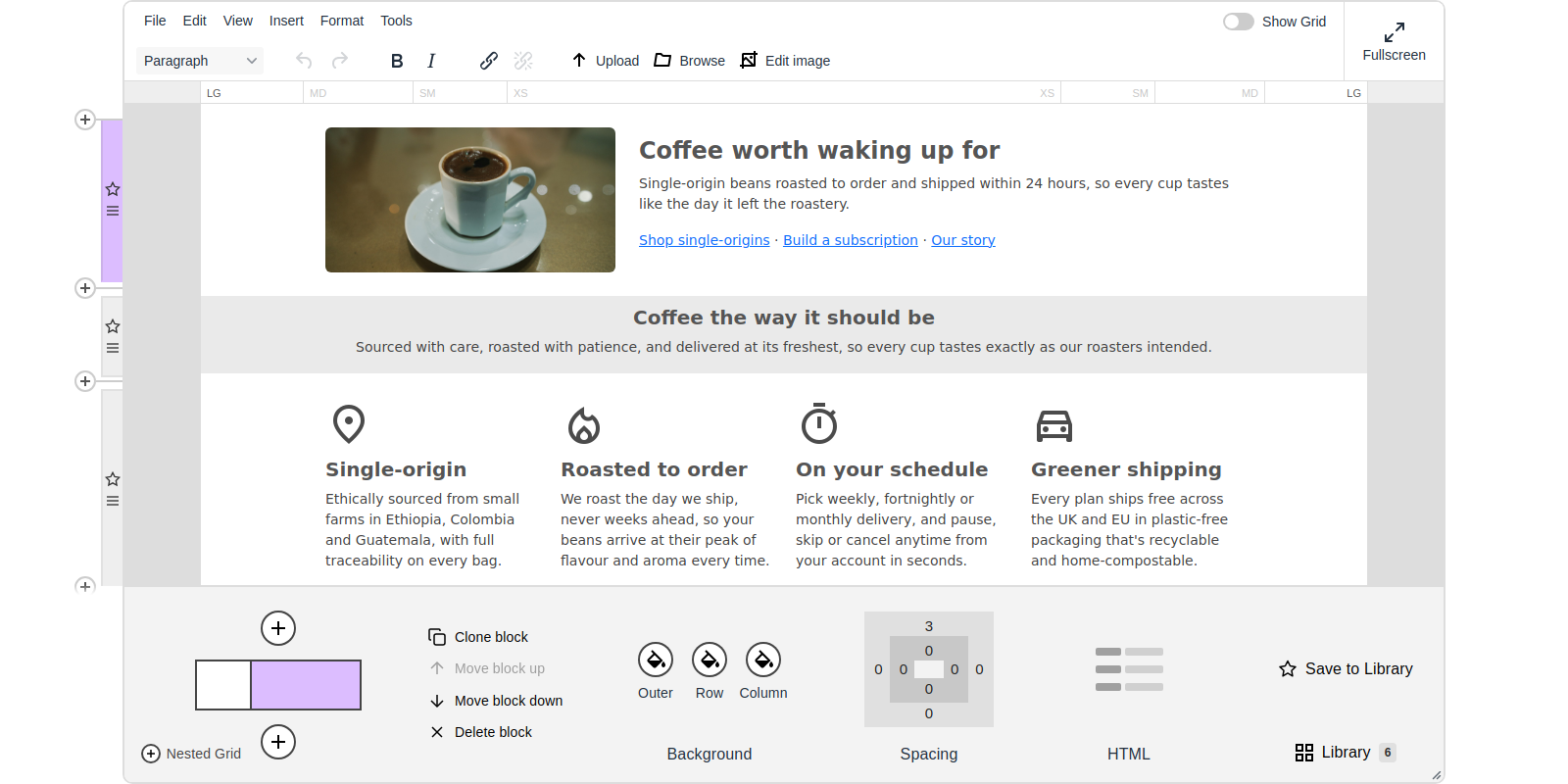
See Blk42 Inside Your Editor
The full grid editor — the familiar TinyMCE toolbar, your content, and the Blk42 structure panel with live block controls, all in one place.
Full Control Over the Grid
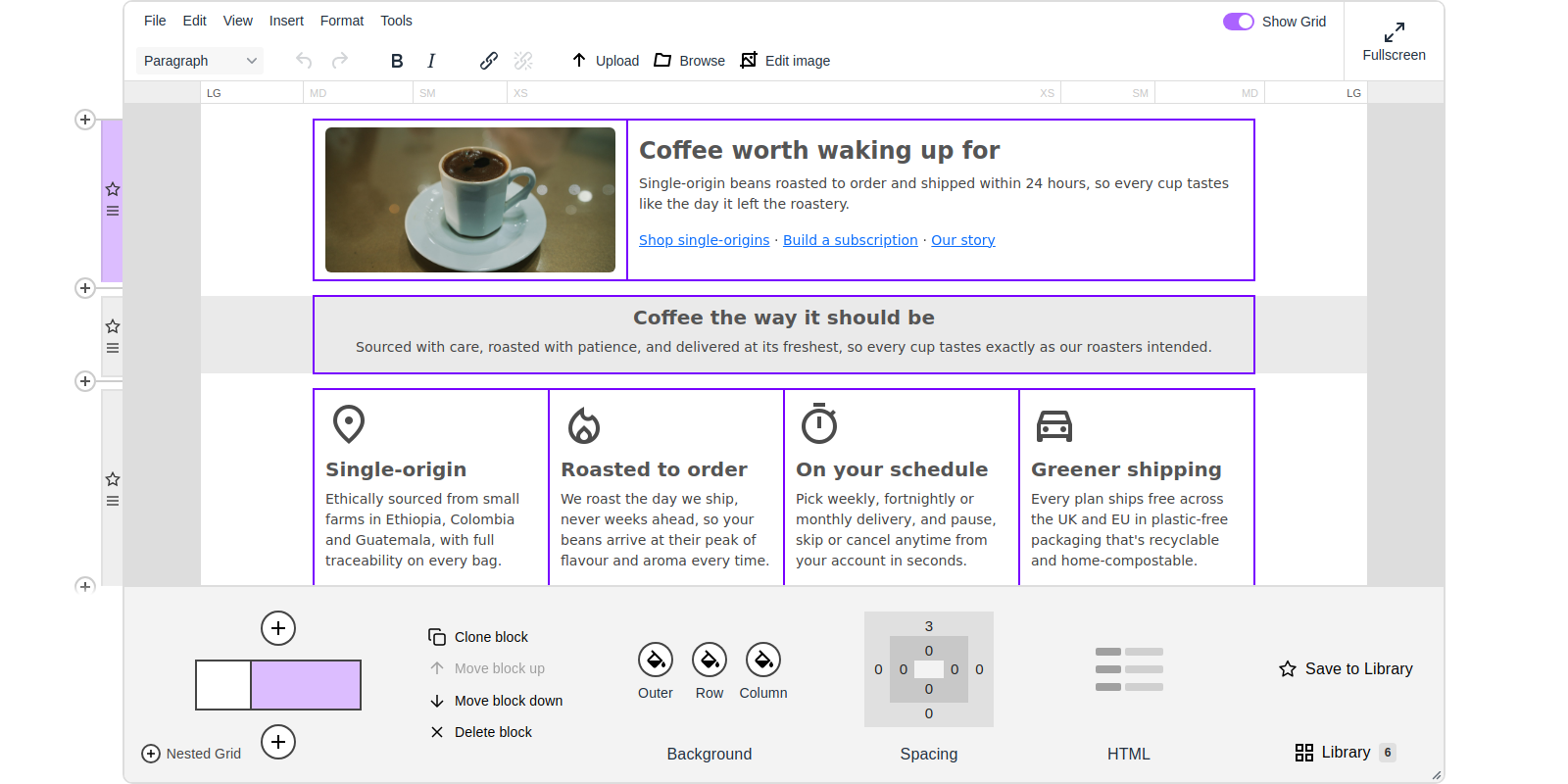
Resize columns, swap their order, adjust alignment and offsets — all visually, with no code. The editor updates in real time as you drag.


Framework CSS That Just Works

Bootstrap 5

Bootstrap 4

Bootstrap 3

Tailwind 4
Blk42 outputs clean framework classes — standard Bootstrap grid markup or Tailwind utilities. For Tailwind, it builds an optimized stylesheet on the fly and bundles it with your content, so visitor pages render correctly without a build pipeline.
Build Your Own Block Library
Save any layout as a reusable block with one click. Blk42 captures a screenshot automatically, so your library stays visual and browsable. Organize blocks into categories tailored to your brand or project.
Share Blocks Across Websites
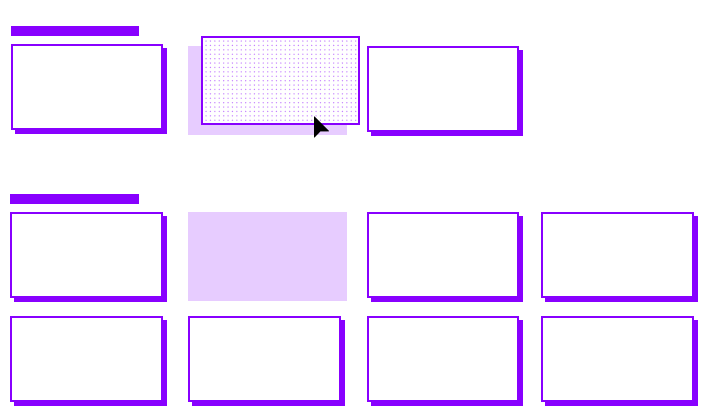
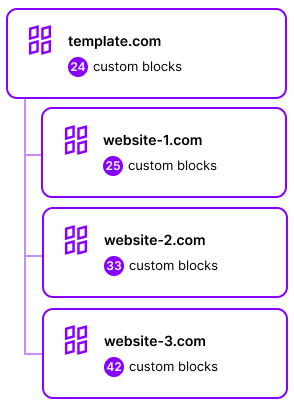
Manage all your blocks from a single dashboard. Create sharing rules and export collections. Template websites pass blocks and settings down to child sites — override only what you need.
Built for agencies, SaaS website builders, and anyone running more than one site.
Multi-Tenant Ready
Per-User Block Libraries
Each tenant maintains their own block collection linked to their API key. Save, organize, and reuse blocks without ever seeing another tenant's content. Changes in one library never affect others.
Isolated Configurations
One API key per website. Create keys in the Dashboard or programmatically through the SaaS API. Each key carries its own framework settings, block categories, and editor preferences — complete data isolation at scale.
Perfect For
SaaS Platforms
Let your customers build responsive pages without coding. Per-customer block libraries, white-label interface, and a SaaS API for provisioning new accounts. Built-in multi-tenancy handles the isolation for you.
Custom CMS Solutions
Backend-agnostic — integrates with headless CMSs, PHP systems, .NET apps, and JavaScript frameworks. The editor produces clean HTML that your templates can render as-is.
Content Management Teams
Non-technical editors get a visual grid builder. Developers keep control through framework classes and editor configuration. No more back-and-forth for layout changes.
Visual Dashboard
Manage all your websites from a single interface. Edit block galleries, configure framework preferences, and set up sharing rules. Add a new website by creating a new API key.
Built for Editors. Loved by Developers.
Dev-Friendly Setup
Initialize with a standard TinyMCE or CKEditor call — one line of config. Then tune everything visually in the Dashboard without touching code again.
SaaS API
Create and manage API keys programmatically. Copy preferences between keys, provision isolated block sets, and automate onboarding for every new customer.
Detailed Docs
Step-by-step installation guides for every editor and framework combination. Multi-tenant setup and troubleshooting included.
Live Examples
Interactive CodePlay demos for real-world scenarios. Full source code and configuration explained — copy, paste, and run.
Compatible With Every Editor and Framework
| TinyMCE | CKEditor 5 | CKEditor 4 | |
|---|---|---|---|
| Bootstrap | |||
| Tailwind |
Get Started
Let your users build responsive layouts right after enabling the plugin.
Install Now ➔5-minute setup · Free 7-day trial · No card required
Frequently Asked Questions
Do I need any changes in my CMS or database to use Blk42?
Blk42 is just a plugin for TinyMCE, CKEditor 4, or CKEditor 5. Activate it in your editor config and pass your API key - that's all. No changes to your database schema, storage format, or CMS backend are needed.
How does Blk42 handle Bootstrap and Tailwind CSS?
Bootstrap is a static CSS library - Blk42 loads it from its CDN by default, but you can point it to your own build if you prefer. Tailwind is compiled at runtime using an embedded compiler (based on Tailwind Play) that generates only the CSS your content actually uses and bundles it inline - no PostCSS, no webpack, no build pipeline needed.
Does it work with content my CMS already has?
Blk42 works with content already wrapped in Bootstrap or Tailwind grid markup, and equally well with content that has no grid structure at all. It doesn't add any restrictions to your existing content format.
Is a file manager included?
No, but you can install any file manager you like. We recommend Flmngr, our own file manager, which comes as a separately paid add-on to Blk42 — but technically any file manager compatible with TinyMCE or CKEditor should work, including one your CMS may already provide for those editors.
What HTML does Blk42 produce?
Clean, standards-compliant Bootstrap or Tailwind markup - the same code a developer would write by hand. No proprietary wrappers, no runtime dependencies. The only addition is a data attribute that links blocks to the library. The output is easily readable and editable outside the editor.
Does it support content outside the Bootstrap/Tailwind grid?
Paragraphs, images, and any other elements that aren't wrapped in containers, rows, or columns are preserved as-is. Blk42 only wraps content in a grid when you explicitly choose to.
Can end-users break the layout?
The grid structure is protected against accidental editing. Users cannot accidentally delete a column or corrupt the row/column hierarchy. At the same time, Blk42 provides all the visual tools needed to intentionally restructure the layout.
Does it support raw HTML editing?
Blk42 provides a source editor with syntax highlighting and error indicators. It also offers a dedicated tool for setting custom classes, styles, and attributes on structure elements - with autocomplete - so most tasks don't require touching raw HTML at all.